
Configuring the REST Event API (Webhooks)
The service can connect to your own applications if they support a REST type API.
Functionalities offered
The events that can be notified to your applications are the following:
- Incoming calls.
- Outgoing calls.
- Call answering by extensions.
- Get a contact name.
- Ended calls.
- Call transcription and/or summary delivery.
- Call transfers.
- Get HTML for browser extension (Chrome).
How to make the configuration
The REST API integration allows you to receive notifications of events occurring in the virtual PBX in your own applications so that you can make your own integrations.
For each event you will have to configure the URL of the web service that will receive the notification, as well as the HTTP method with which you want the request to be made (GET,POST, PUT or DELETE).
If you use GET or DELETE, you will have to indicate the parameters to be replaced in the URL itself. In the case of POST and PUT the parameters will have to be indicated in the new data field of the request that will appear next to the field of the URL.
For example, to receive a GET notification of an incoming call event you should set something similar to the following URL:
For POST requests, a structure similar to this would be used:
{
	"id": "{id}",
    "dst": "{dst}",
    "call_id": "{call_id}"
}
As a general rule, your API response should be JSON-encoded (for example, using json_encode in PHP). Some events specify a different response format.
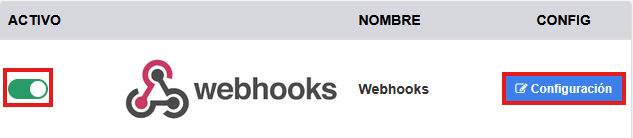
To activate it, access the PBX panel > Integrations and search for Webhooks, activate the integration [OFF/ON] and click on “Change configuration”.
Events
The different events and respective parameters you can use are as follows:
When making an incoming call
This event is called every time a new call is received at a public number.
Parameters:
- {id}: unique call identifier.
- {src}: caller’s number.
- {dst}: public number called.
- {call_id}: Call ID.
When making an outgoing call
This event will be called each time a new outgoing call is made.
Parameters:
- {id}: unique call identifier.
- {src}: caller ID used.
- {dst}: phone number called.
- {ext}: extension that originated the call.
- {call_id}: Call ID.
When answering a call
This event will be called every time a call is answered by an extension.
Parameters:
- {id}: unique call identifier.
- {ext}: extension that has answered the call.
- {call_id}: Call ID.
Get a contact name
This event is called to get the name of the contact from a phone number. This name will be used to display on your terminal when you make or receive a call. The response from your API should be the name of the contact in plain text.
Parameters:
- {number}: Caller’s number.
When hanging up the call
This event will be called every time a call is hung up.
Parameters:
- {id}: unique call identifier.
- {duration}: duration of the call in seconds.
- {src}: Caller's number.
- {dst}: Called phone number.
- {direction}: Inbound/Outbound direction.
- {call_id}: Call ID.
When transferring a call
This event will be called each time a call is transferred.
Parameters:
- {id}: unique call identifier.
- {duration}: duration of the call in seconds.
- {ext}: Extension or external number to which the call has been transferred.
- {call_id}: Call ID.
Get HTML
This event is called by the browser extension (Chrome) to get the contact information displayed from a phone number. This information will be used to display in the Chrome browser when you make or receive a call. The response from your API should be the content of the HTML body.
Parameters:
- {number}: Caller's number.
Completed call
This event sends the call transcription, summary, or both to your application.
Unlike the “When hanging up the call” event, it is not sent as soon as the call ends. Transcription and summarization are processed asynchronously, and the webhook is sent when the selected result is available.
Requirements
The call must have been recorded, and transcription must be enabled. To receive a summary, summary generation from the transcription must also be enabled.
Configuration
In the “Completed call” section, enable the webhook, enter your web service URL, and select POST or PUT as the HTTP method. Configure the request body as a JSON object.
You can choose between three modes:
- Transcription only: sent when the transcription is complete.
- Summary only: sent when the summary is complete.
- Transcription and summary: a single webhook is sent when both results are available.
Include only the results corresponding to the selected mode in the request body
Available placeholders
- {call_id}: call identifier. It must be a complete value enclosed in double quotes: "call_id": "{call_id}".
- {summary}: summary text. It must be a complete value enclosed in double quotes: "summary": "{summary}".
- {transcription}: transcription in JSON format. Write it without quotes, as it is inserted as a JSON structure: "transcription": {transcription}.
Examples
Transcription only
{
"call_id": "{call_id}",
"transcription": {transcription}
}
Summary only
{
"call_id": "{call_id}",
"summary": "{summary}"
}
Transcription and summary
{
"call_id": "{call_id}",
"transcription": {transcription},
"summary": "{summary}"
}